Functionality
The Agent works through a set of modes. Leave it on Auto and it picks the right one for your request, or open the mode selector to force a specific tool.
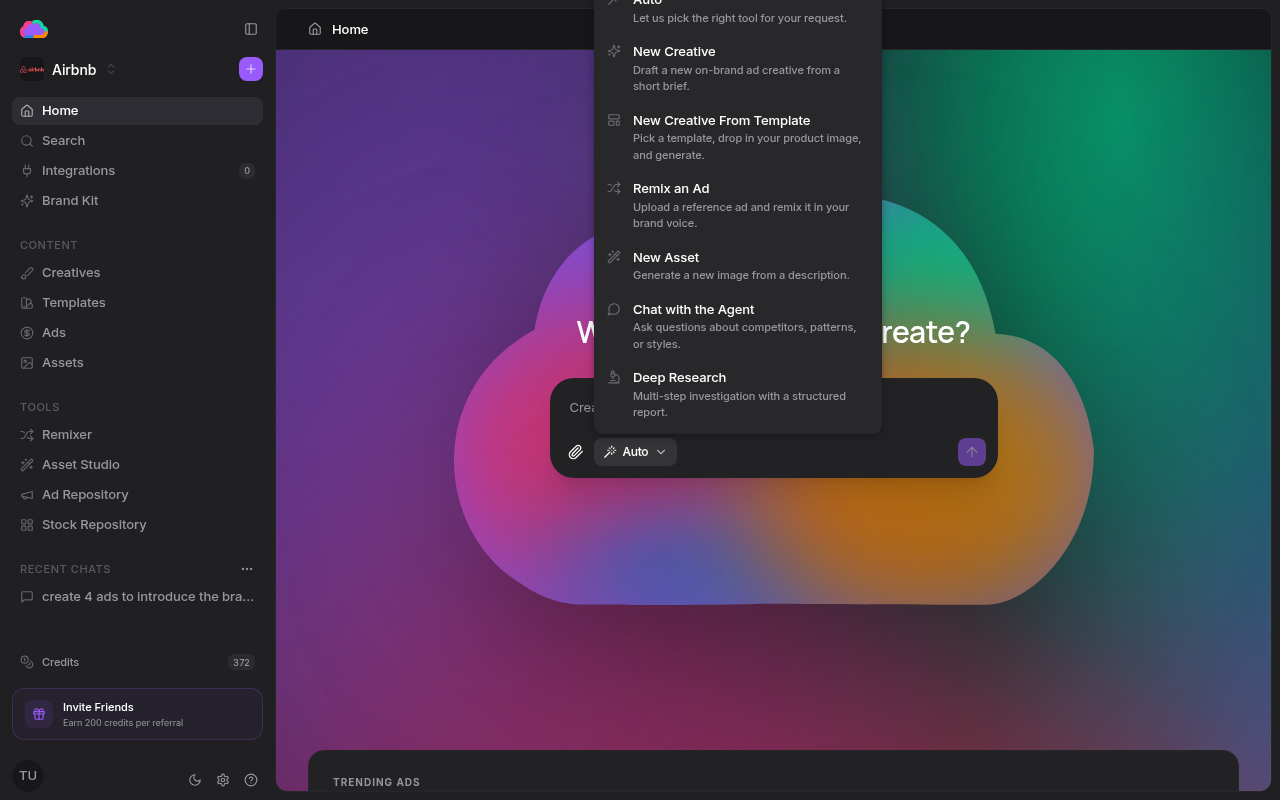
Modes
- Auto — lets the Agent pick the right tool for your request
- New Creative — drafts a new on-brand ad creative from a short brief
- New Creative From Template — pick a template, drop in your product image, and generate
- Remix an Ad — upload a reference ad and remix it in your brand voice (the Remixer)
- New Asset — generate a new image from a description (the Assets)
- Chat with the Agent — ask questions about competitors, patterns, or styles
- Deep Research — a multi-step investigation that returns a structured report
Attachments
Use the attach button to add an image to your message — a reference ad, a product shot, or a screenshot. The Agent uses it as context for whatever it generates next.
What it produces
When a mode generates ad creatives, they're saved to the Creatives page so you can refine and publish them. Research and chat modes answer directly in the conversation, which stays saved under Recent chats.
Generation runs asynchronously — the Agent kicks off the work and tells you where the results will appear, so you can keep working while it finishes.