Meta Ads
Connect Meta to publish ad creatives straight to Facebook and Instagram with Advantage+ placements — no exporting, no re-uploading.

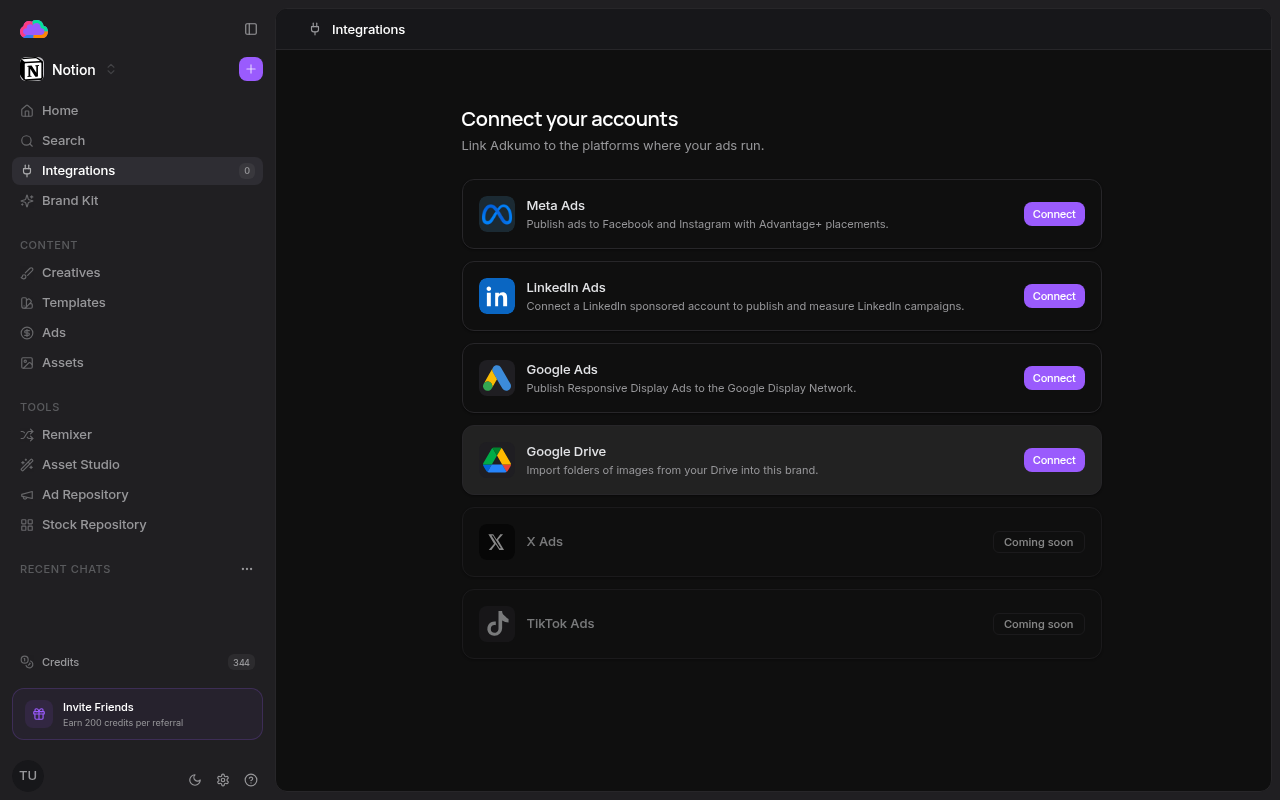
Step 1 — Connect your account
- Open Integrations from the sidebar
- Click Connect on the Meta Ads row
- Authorize Adkumo in the Facebook window that opens, granting the requested ad permissions
- Choose the ad account and page you want to publish through
Step 2 — Publish a creative
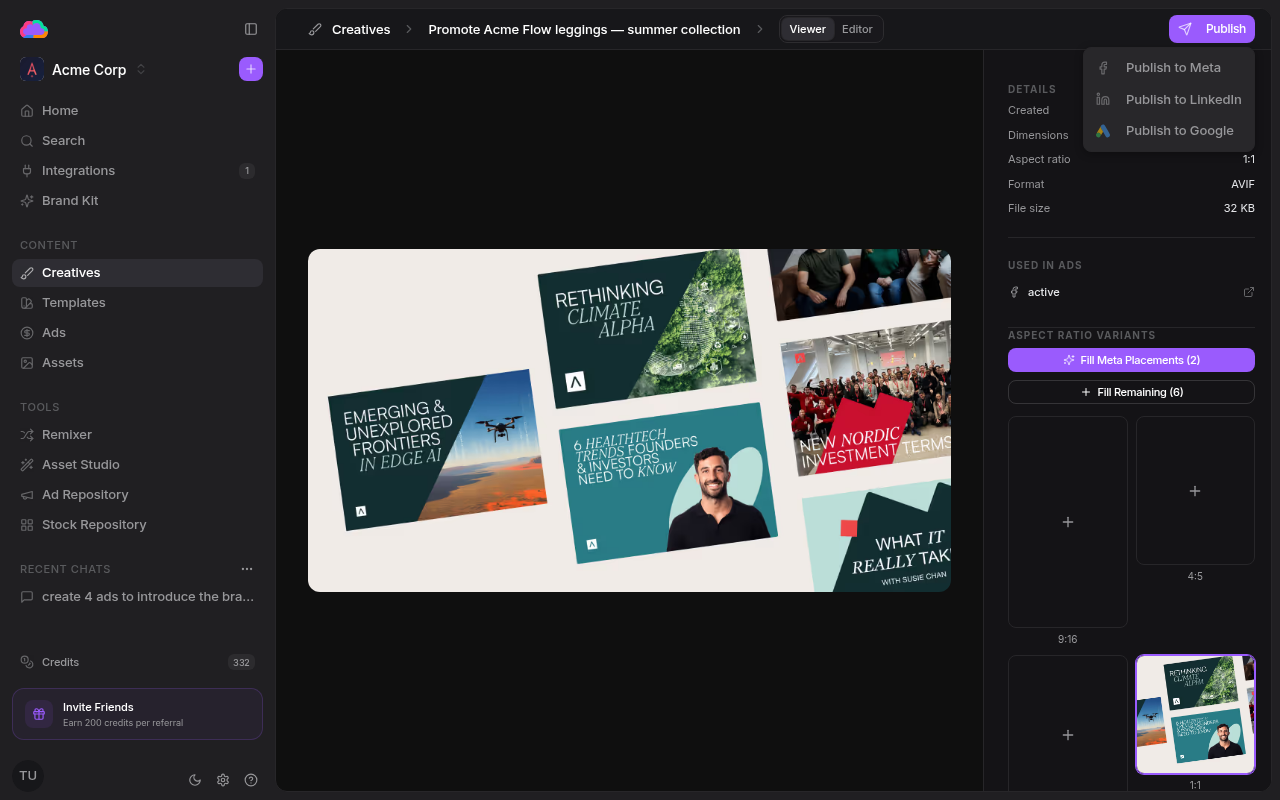
- Open any creative from the Creatives page
- Click Publish, then Publish to Meta
- Finalize the draft — copy, targeting, budget, and placements
- Launch the ad
Once live, the ad appears on the Ads page under the Meta tab, where you can track spend and impressions and pause or resume it.
Adkumo generates the right aspect-ratio variants for Meta placements automatically — use Fill Meta Placements on a creative before publishing.