Google Ads
Connect Google Ads to publish Responsive Display Ads to the Google Display Network straight from Adkumo.

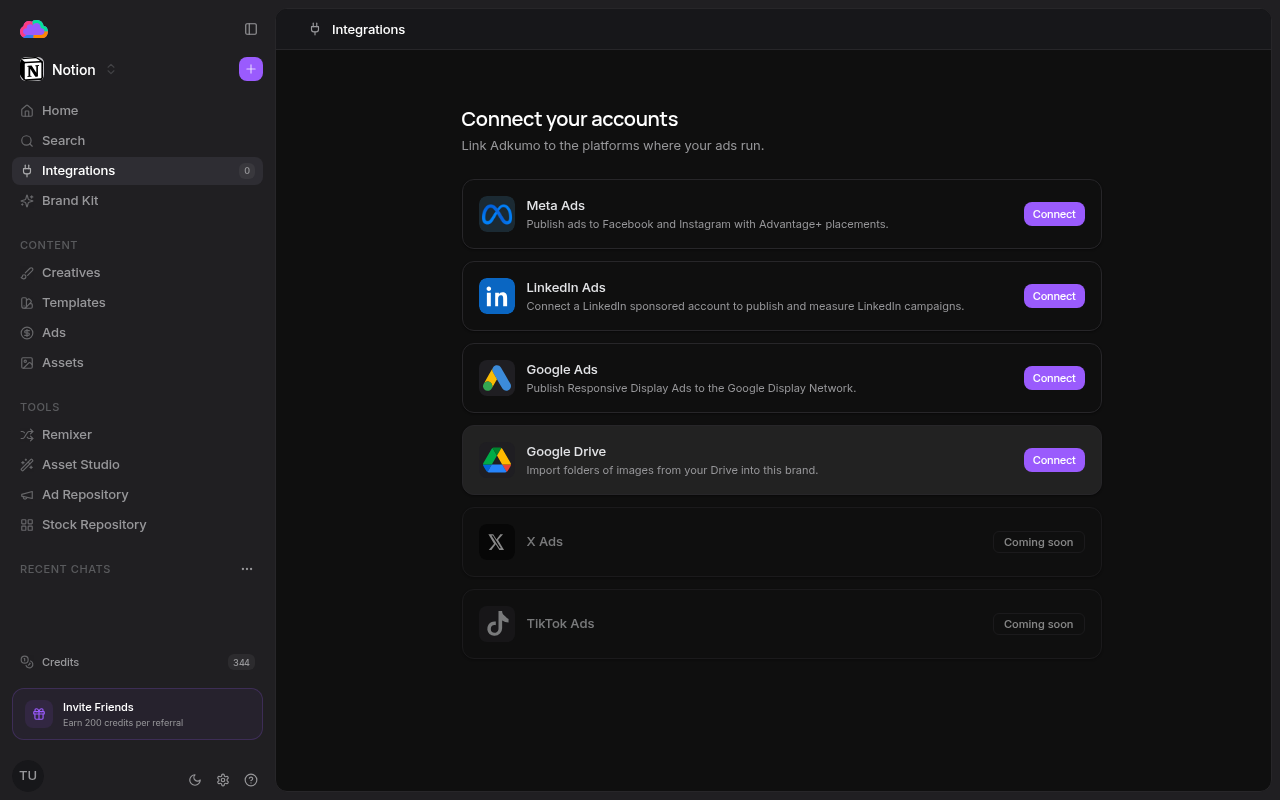
Step 1 — Connect your account
- Open Integrations from the sidebar
- Click Connect on the Google Ads row
- Authorize Adkumo in the Google window that opens
- Pick the Google Ads account to publish through
Step 2 — Publish a creative
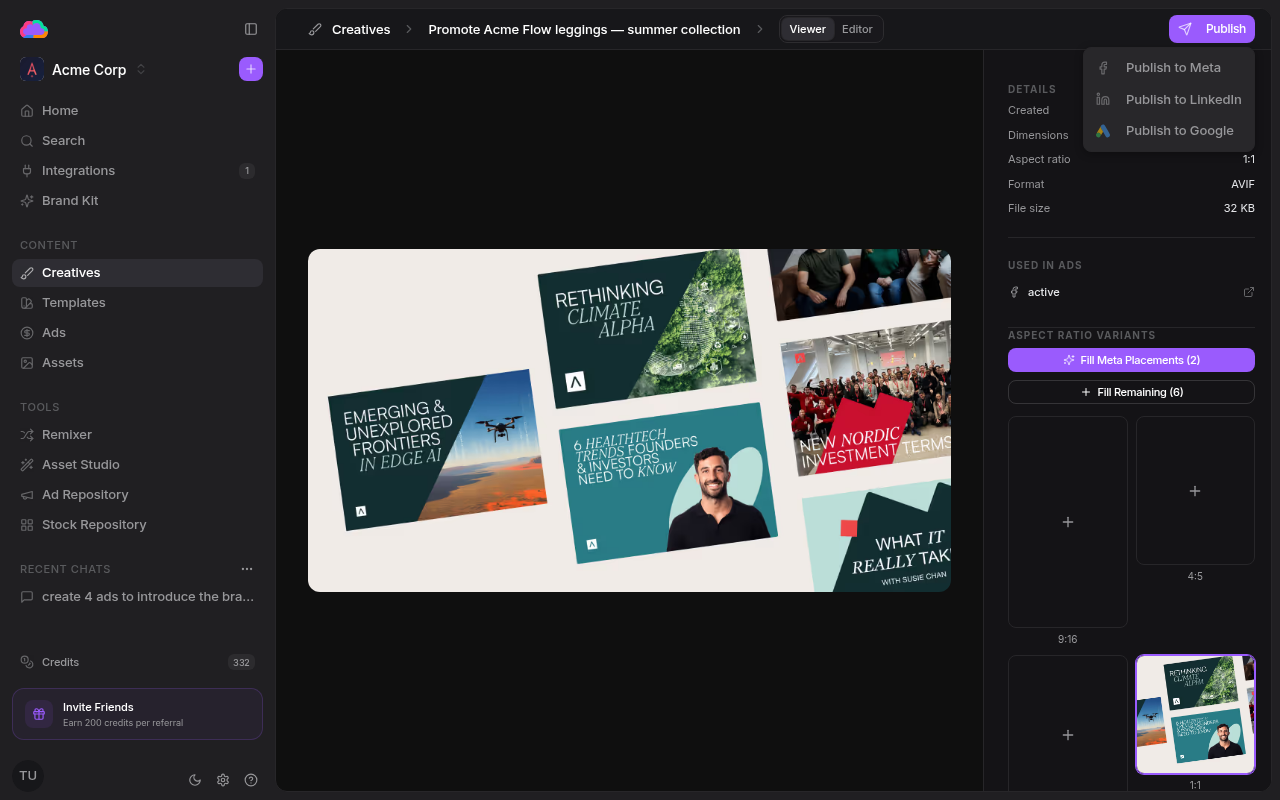
- Open any creative from the Creatives page
- Click Publish, then Publish to Google
- Finalize the Responsive Display Ad — headlines, descriptions, and assets
- Launch the ad
Once live, the ad appears on the Ads page under the Google tab, where you can track performance and manage it alongside your Meta and LinkedIn ads.
Responsive Display Ads mix and match your headlines, descriptions, and images across Google Display Network placements, so provide a few strong variations for the best reach.
Data access & permissions
When you connect Google Ads, Adkumo requests a single OAuth scope — https://www.googleapis.com/auth/adwords — and uses it only to:
- List the Google Ads accounts you can access, so you can pick the one to publish through
- Sync your own campaign and ad performance metrics (impressions, clicks, cost, conversions) into the Ads page
- Create campaigns, budgets, ad groups, and ads only when you explicitly publish from Adkumo — every campaign is created paused, so nothing spends until you activate it
- Query Google's Keyword Planner for keyword research
OAuth tokens are encrypted at rest and never exposed to your browser. Disconnecting on the Integrations page deletes the stored tokens immediately, and you can also revoke Adkumo's access at any time from your Google Account permissions. For the full picture, see the Google API Disclosure.