Ads
The Ads tab is where every ad you've published lands. It's a single dashboard for the creatives that are now live in the ad platforms — with spend, impressions, and status synced back from each one.
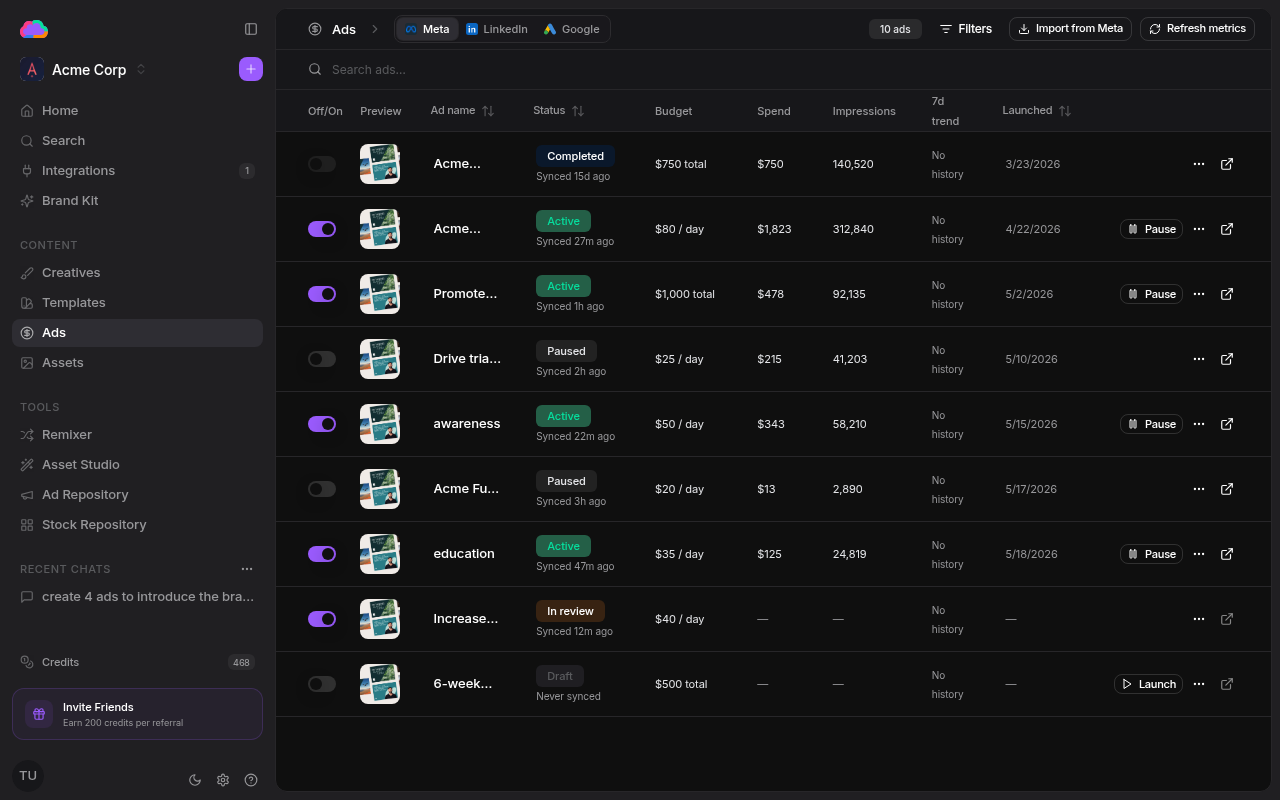
Platform tabs
Three tabs split the view by destination:
- Meta — ads running on Facebook, Instagram, Audience Network, Messenger, and Threads
- LinkedIn — ads running on LinkedIn
- Google — ads running on Google Ads
The table
Each row is one ad, with:
- Off/On — pause or resume the ad inline
- Preview and Ad name
- Status — Draft, In review, Active, Paused, or Completed, plus when it was last synced
- Budget, Spend, and Impressions
- 7d trend and Launched date
- Actions — open, launch, or manage the ad
Keeping data fresh
Refresh metrics pulls the latest spend and performance numbers from the platforms. Import from Meta brings ads you launched outside Adkumo into the table so everything lives in one place. Use Filters and the search bar to focus on a subset.
Ads appear here after you publish a creative. To launch one, open a creative and hit Publish — see Creatives and Integrations.