LinkedIn Ads
Connect a LinkedIn sponsored account to publish and measure LinkedIn campaigns directly from Adkumo.

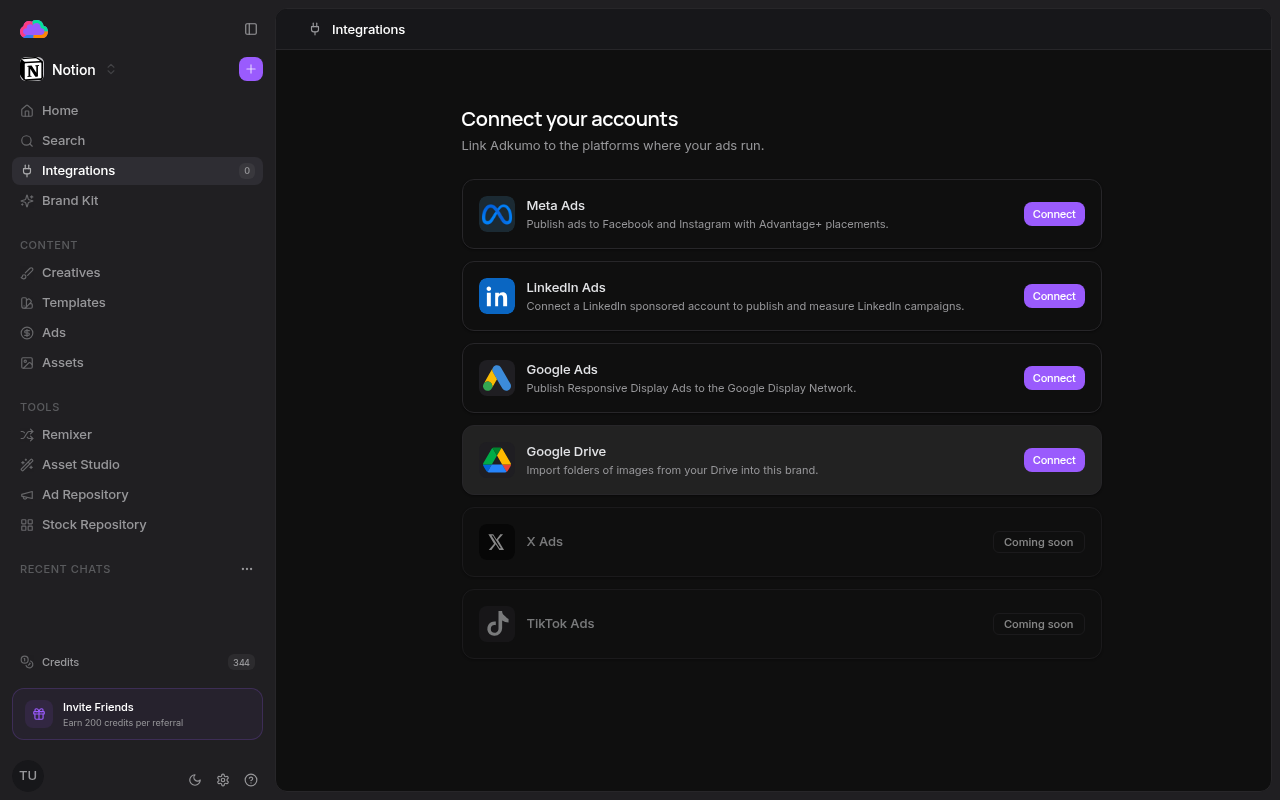
Step 1 — Connect your account
- Open Integrations from the sidebar
- Click Connect on the LinkedIn Ads row
- Authorize Adkumo in the LinkedIn window that opens
- Pick the organization and sponsored ad account to publish through
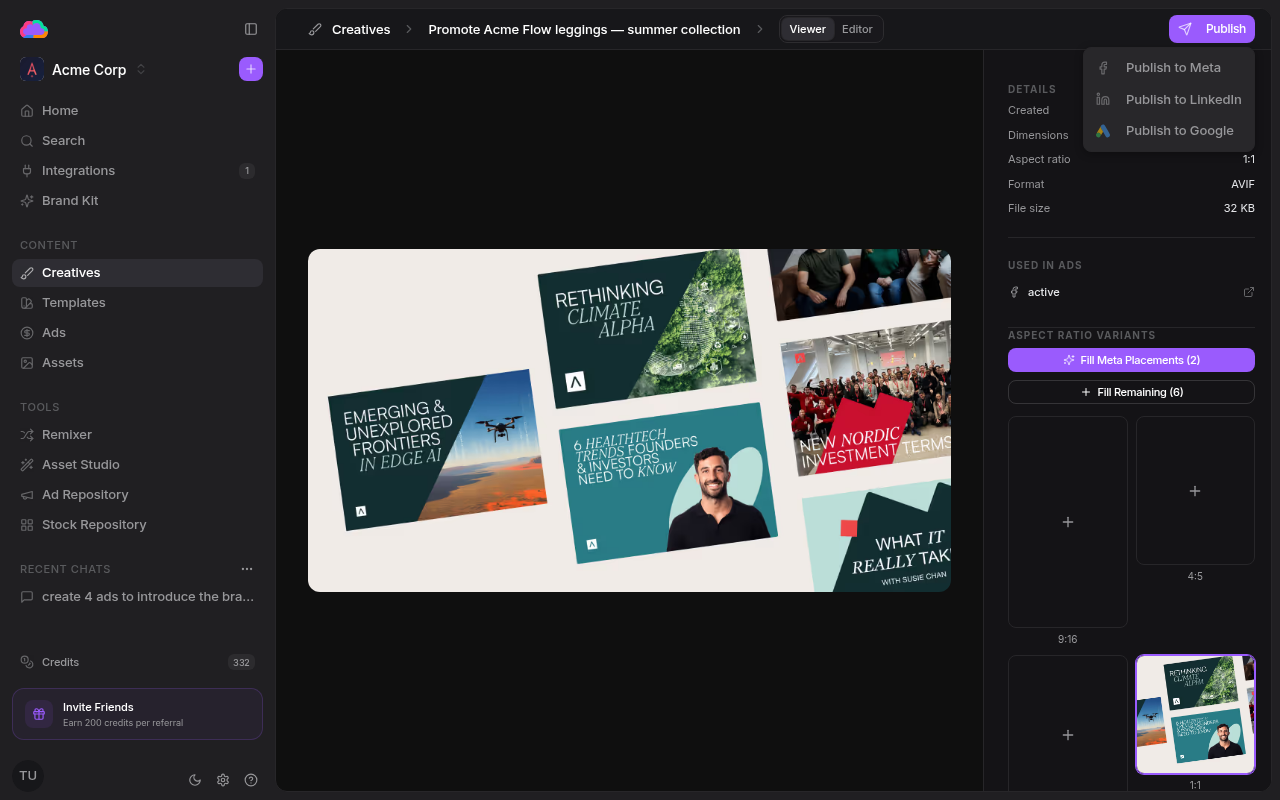
Step 2 — Publish a creative
- Open any creative from the Creatives page
- Click Publish, then Publish to LinkedIn
- Finalize the draft — campaign details, targeting, and optional document attachments
- Launch the ad
Once live, the ad appears on the Ads page under the LinkedIn tab, with the same spend, impression, and pause/resume controls as the other platforms.
LinkedIn rewards crisp, professional messaging. Lean on your brand voice in the Brand Kit so the copy stays on-tone for a B2B audience.